Physical Address
Victory Est, Ogombo Ajah, Eti-Osa, Lekki 101245, Lagos
Physical Address
Victory Est, Ogombo Ajah, Eti-Osa, Lekki 101245, Lagos
Nigeria Financial News, Stock Market Data, Economy & Market Analysis
Nigeria Financial News, Stock Market Data, Economy & Market Analysis
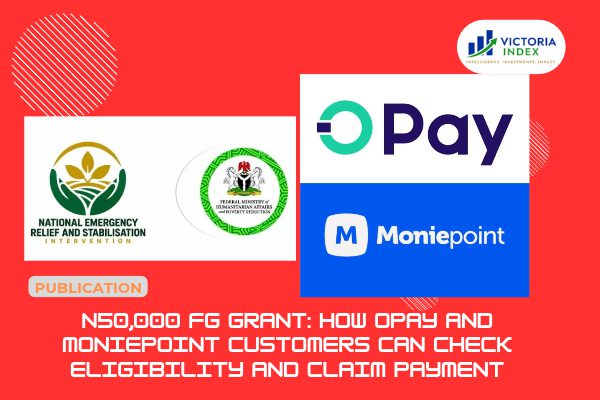
Selected OPay and Moniepoint customers can check NERSI eligibility by USSD or app. Here are official steps and scam warnings.
Since the Federal Government began paying ₦50,000 to vulnerable households under the National Emergency Relief and Stabilisation Intervention (NERSI), one question has dominated phones, family WhatsApp groups and market stalls: how do I find out if I’m on the list? Two of the approved payment providers, OPay and Moniepoint, have published ways for customers to check, and scammers have been quick to copy the excitement.
This guide explains, step by step, how eligibility works, how OPay and Moniepoint customers can check their status, how to accept and collect the money, and how to avoid fraud. It is based on the Federal Ministry of Humanitarian Affairs and Poverty Reduction’s official NERSI page, which you can read directly on the ministry’s website, and on public statements from the providers. We explain our earlier coverage of the programme itself in our report on the ₦50,000 monthly cash relief and what NERSI means.
NERSI is a grant, not a loan, and you do not repay it. The ministry says beneficiaries are chosen from the National Social Register and verified national identity records, then screened to reach poor and vulnerable households. Your phone number comes from those records.
That means three things. You cannot register for the programme, you cannot pay to be added, and no agent, politician or “contact person” can place you on the list. The ministry says plainly that anyone offering to do so for a fee is a fraudster. Payments are also released in phases, and the programme supports a limited number of households at a time, so not being contacted yet does not automatically mean you have been excluded.
One detail about frequency is worth clearing up. The minister and the providers have described the support as monthly, but the ministry’s own page speaks only of ₦50,000 per payment and says payments go out in phases. It does not state a monthly schedule. Treat “monthly” as the stated intention and wait for the ministry to confirm the timetable.
The government has approved five payment providers. The table shows the codes listed on the ministry’s page. Always dial them from the phone number linked to your account.
| Provider | Type | Code listed by the ministry |
|---|---|---|
| ALAT (Wema Bank) | Digital bank | 94523# |
| MoMo PSB | Payment service bank | 6710# |
| NairaGram | Mobile wallet | 72600# |
| OPay | Mobile money operator | 95520# |
| Moniepoint | Microfinance bank | 557327# |
Some news sites have printed these codes with the asterisks in the wrong places. If a code you find elsewhere differs from the table, trust the ministry’s page, and call the ministry’s help line before dialling anything you are unsure about.
OPay told customers that those selected will see a pop-up notification on the home screen of the OPay app, which they should tap to get instructions and continue the payment process. OPay also stressed that it does not decide who is eligible, and directed questions about selection to the NERSI help line.
Here is the process step by step:
*955*20# from your registered number and choose the “Check eligibility” option, or open the official OPay app and look for the notification.OPay has also warned that it will never ask for your PIN or OTP to process a NERSI payment, and it advises customers to use only its official app or the USSD code to confirm eligibility.
Moniepoint Microfinance Bank, one of the five approved providers, says customers can check their status by dialling *5573*27# from the phone number registered with their account and selecting the eligibility option. The bank has also noted that selection follows the government’s own criteria and verification processes, so dialling the code does not guarantee payment and not every customer will qualify.
The steps mirror OPay’s:
*5573*27# from your registered number, or use the official Moniepoint app.You do not need a smartphone or data for the USSD route. A basic phone works.
The ministry describes four stages. First, an SMS arrives from one of the five providers saying you have been selected. Second, you reply YES, or dial the code in the message, which is your consent to take part. Third, your wallet opens and is linked to your phone number and NIN. Fourth, the money is credited and you can spend or withdraw it.
There is no stated deadline to accept, but the ministry asks beneficiaries to do so as soon as possible, and providers will send reminders. If you answered No by mistake, or changed your mind, you can dial the code again and choose Yes.
Once the money is in your wallet, you have several options. You can send it to a POS agent, who gives you cash, transfer it to any bank account using your provider’s code or app, or spend it directly from the wallet. You can also take part of the money and leave the rest in the wallet.
Fees need a clear explanation. The grant itself is free, and accepting, receiving and replying to programme messages cost nothing. Nothing is deducted from the ₦50,000. However, a POS agent may charge their usual withdrawal fee when you cash out, as with any withdrawal, so ask for the fee before you confirm.
Only you can collect the money. It is paid to your phone number, and the ministry says no one can collect it on your behalf. A trusted family member can help you dial the code, but you should always enter your own PIN and never hand over your phone, PIN or OTP.
Fraudsters follow every government payment, and this one is no exception. The ministry gives a simple three-point test for a genuine message. It must come from ALAT, MoMo, NairaGram, OPay or Moniepoint. It should only ask you to reply YES or dial your provider’s code. It must never ask for money, your PIN, your OTP or your BVN, or tell you to click a link.
The ministry also lists specific tricks to ignore:
If anything feels wrong, stop, do not reply, and call the NERSI help line on 0700-022-2222 or your provider’s official line before you do anything else. OPay’s lines are 0700 888 8328 and 0201 888 8328, according to the ministry’s page. Check the Moniepoint app or its official website for its current support contact.
Many people see others receiving money and assume they have been left out. The ministry gives two likely reasons. Payments are made in batches, so your message may simply not have arrived yet. And not everyone is selected in the current phase. If you check and are told you are not selected, no one can speed up or change that decision. The best response is to keep your SIM active and your phone number and NIN details up to date, and to watch for official messages.
If the USSD code does not work, check your network signal and try again, then call your provider. If you lose your phone or SIM, contact your provider immediately to protect your wallet, then get a replacement SIM with the same number.
A single ₦50,000 payment helps, but it is not a fix for rising living costs. We explained the pressures behind them in our report on why food prices remain high despite government intervention, and we examined whether wages keep up in our review of the purchasing power of Nigeria’s minimum wage. If you do receive the money, consider planning it around essentials such as food, transport and medicine, and withdraw only what you need to limit exposure to cash risk. Our guide to the most affordable states to live in Nigeria may also help with budgeting.
Is the N50,000 grant available to every OPay or Moniepoint customer? No. Only people selected from the National Social Register and verified identity records are paid.
Do I have to register or pay to qualify? No. You cannot apply, and nobody can add you to the list.
Is it a loan? No. It is a grant and is not repaid.
Do I need a smartphone? No. The USSD codes work on a basic phone without internet.
Who do I call for help? The NERSI help line is 0700-022-2222, and your provider has its own support lines.
The safest approach is also the simplest. Wait for an official SMS or in-app notice, or dial your provider’s official code from your registered number, and never pay anyone or share your PIN or OTP. Eligibility is decided from government records, not by agents or social media posts. VictoriaIndex will update this guide as the ministry publishes more detail on payment phases and timing.
Sources: Federal Ministry of Humanitarian Affairs and Poverty Reduction, NERSI page; OPay’s customer statement; Nigeria Data Protection Commission (for the data protection law the ministry cites).
More from VictoriaIndex: